Back Office Implementation
The Back Office system allows administrative staff to manage SMS consent for patients, including adding, editing, and revoking consent permissions as needed.
📝Verbal Consent Script for Staff
Verbal Script & Complete Dialogue Example
📌 Read the following script verbatim to the client (shown in first STAFF section below):
STAFF:
"By providing your consent, you certify that you agree to the Terms and Conditions and Privacy Policy. You consent to receive SMS messages to the cell number provided for notifications from Practice Vault. The messages will be for appointment reminders and healthcare-related communications. You understand that you can opt-out of receiving text messages at any time by responding with STOP. You can reply with HELP to get help. Message and data rates may apply. Message frequency may vary based on your appointment schedule."
STAFF:
"Please confirm the phone number you would like to receive SMS messages at and if you agree to receive SMS from Practice Vault?"
CLIENT:
"My phone number is [XXX-XXX-XXXX] and I agree to receive SMS from Practice Vault."
STAFF:
"I am documenting your opt-in agreement with the number you provided in our database. At any time if you wish to remove your consent to receive messages, you can verbally opt-out or reply STOP to the SMS messages."
CLIENT:
"OK. Thank you."
⚠️ Critical Requirements:
- Read the ENTIRE script without modifications
- Obtain explicit verbal confirmation of phone number
- Obtain explicit "I agree" statement from client
- Document consent immediately in the system
- Set notification preferences to "Text Only" or "Text/Voice Mail" in the dropdowns below
Section 1: Create Client Modal
Phone Number Management
Adding Phone Number
Create Client - Add Phone Number
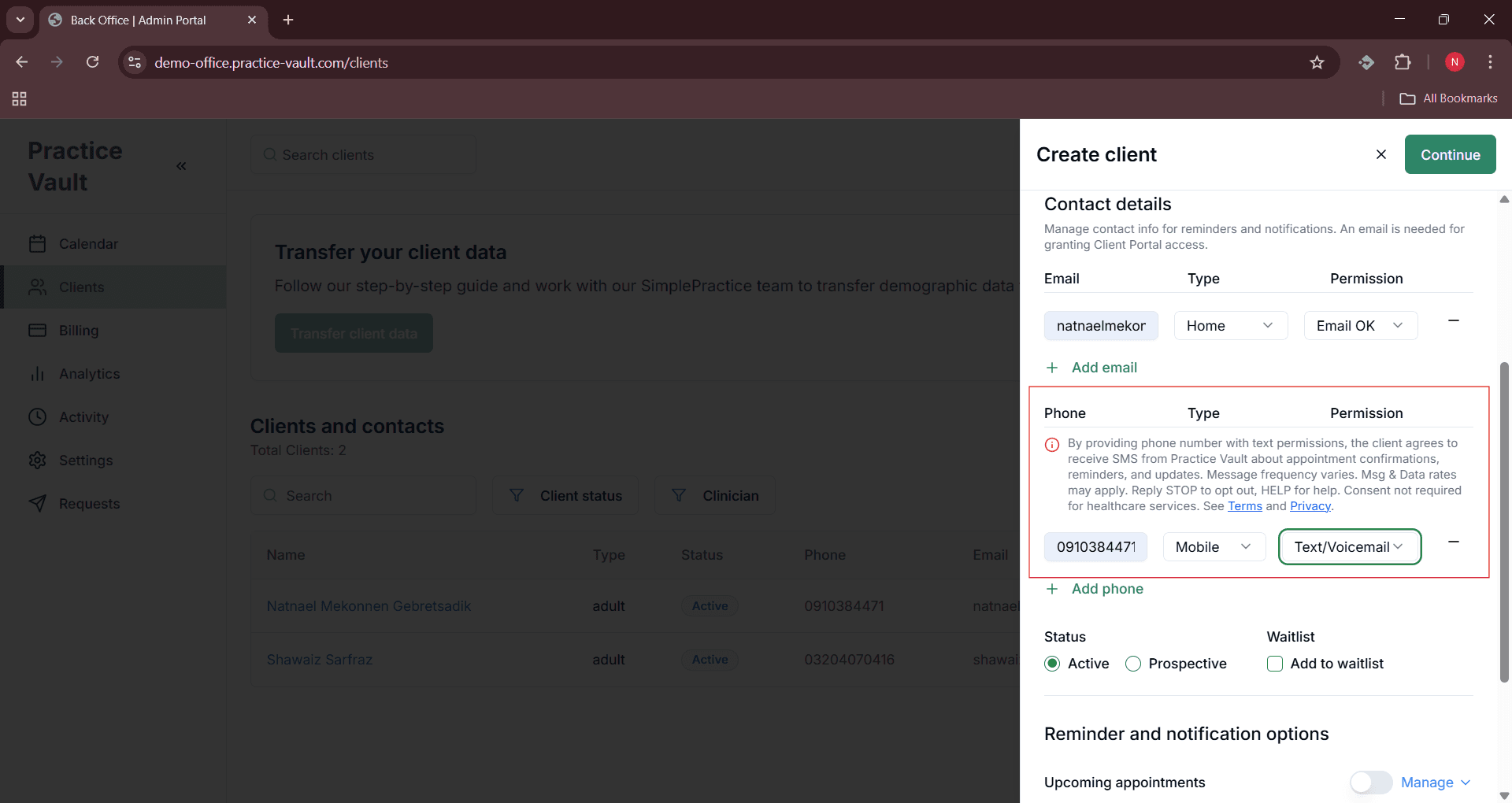
Interface for adding client phone number during client creation
Client Without SMS Consent
Create Client - No SMS Consent
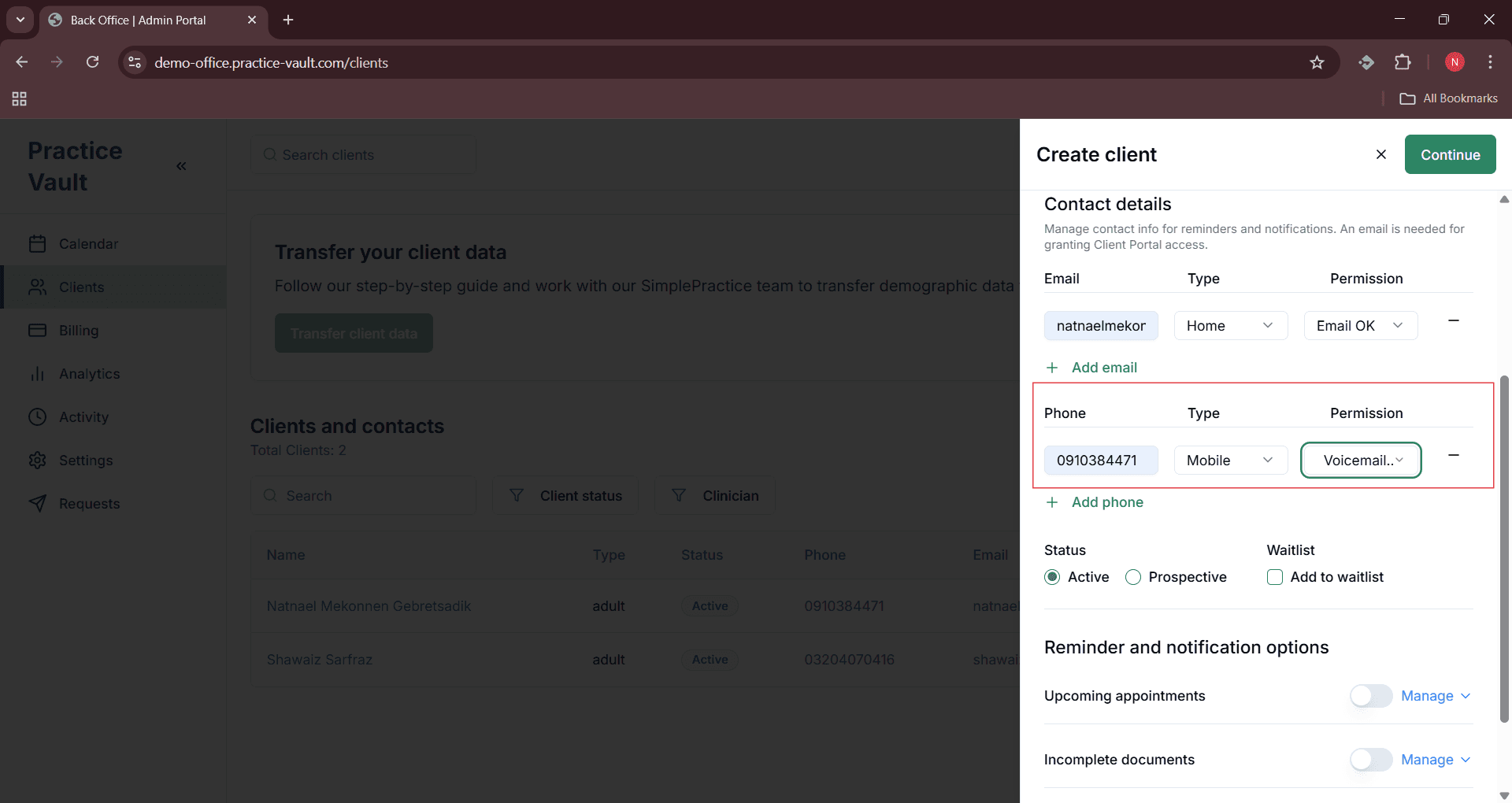
Shows the create client modal when SMS consent is not provided
Client With SMS Consent
Create Client - SMS Consent Enabled

Shows the create client modal when SMS consent is granted
Notification Preferences
Setting Notification Preferences
Create Client - Notification Preferences
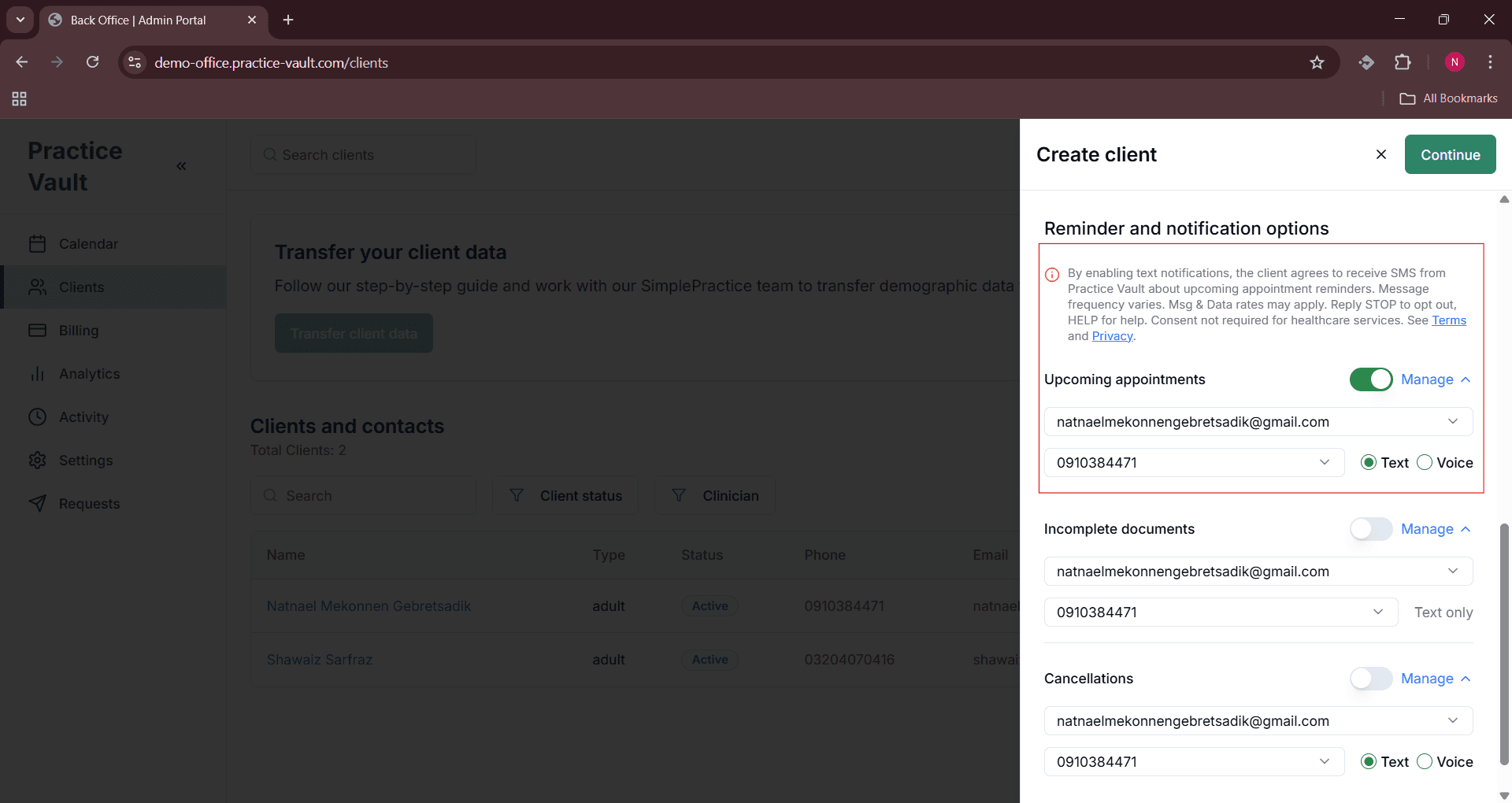
Interface for setting client notification preferences during creation
Section 2: Edit Client Page
Phone Number Management
Editing Phone Number
Edit Client - Phone Number Management
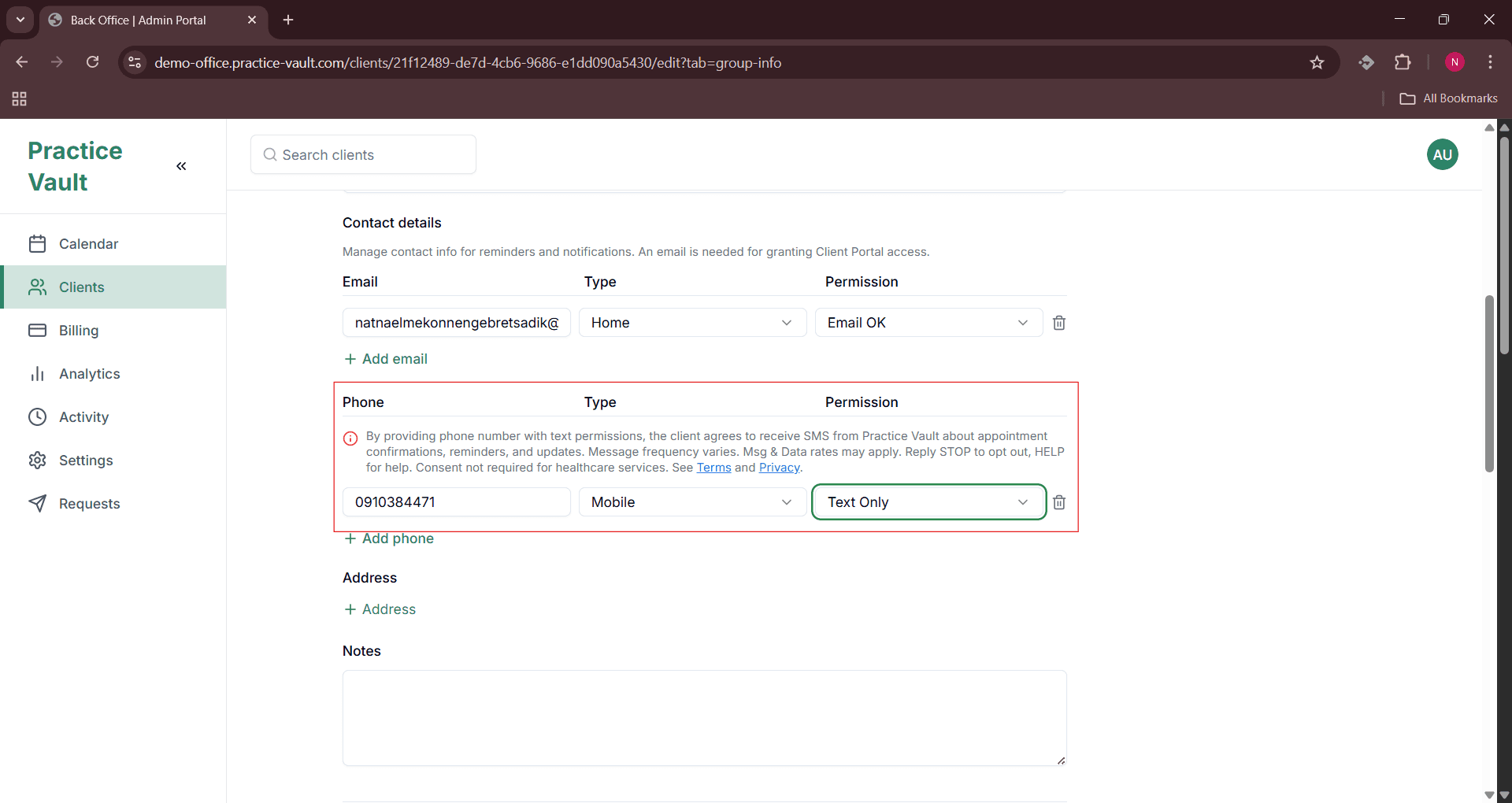
Interface for editing client phone number and SMS preferences
Client Without SMS Consent
Edit Client - No SMS Consent
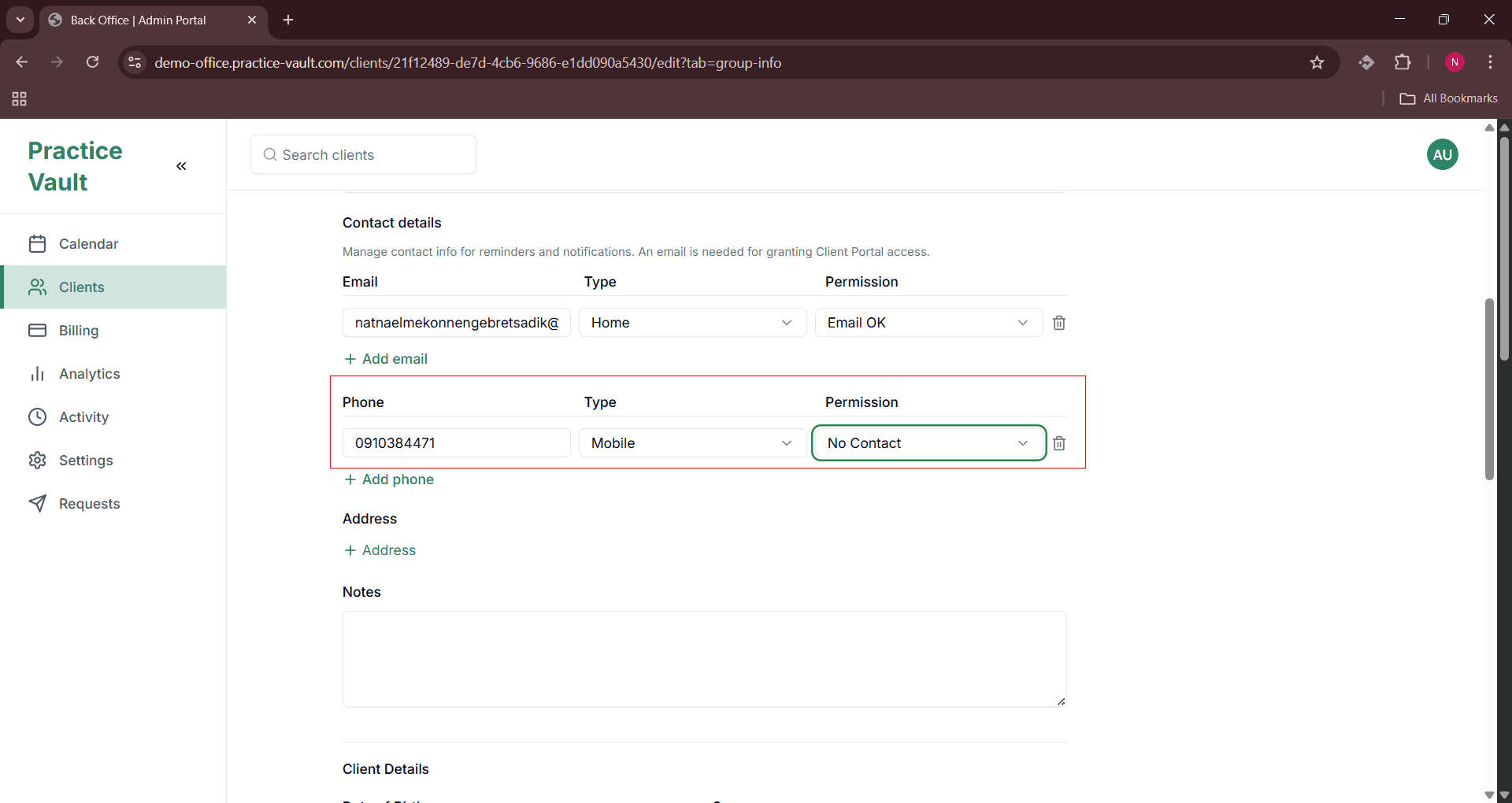
Shows the edit client interface when SMS consent is not enabled
Client With SMS Consent
Edit Client - SMS Consent Enabled
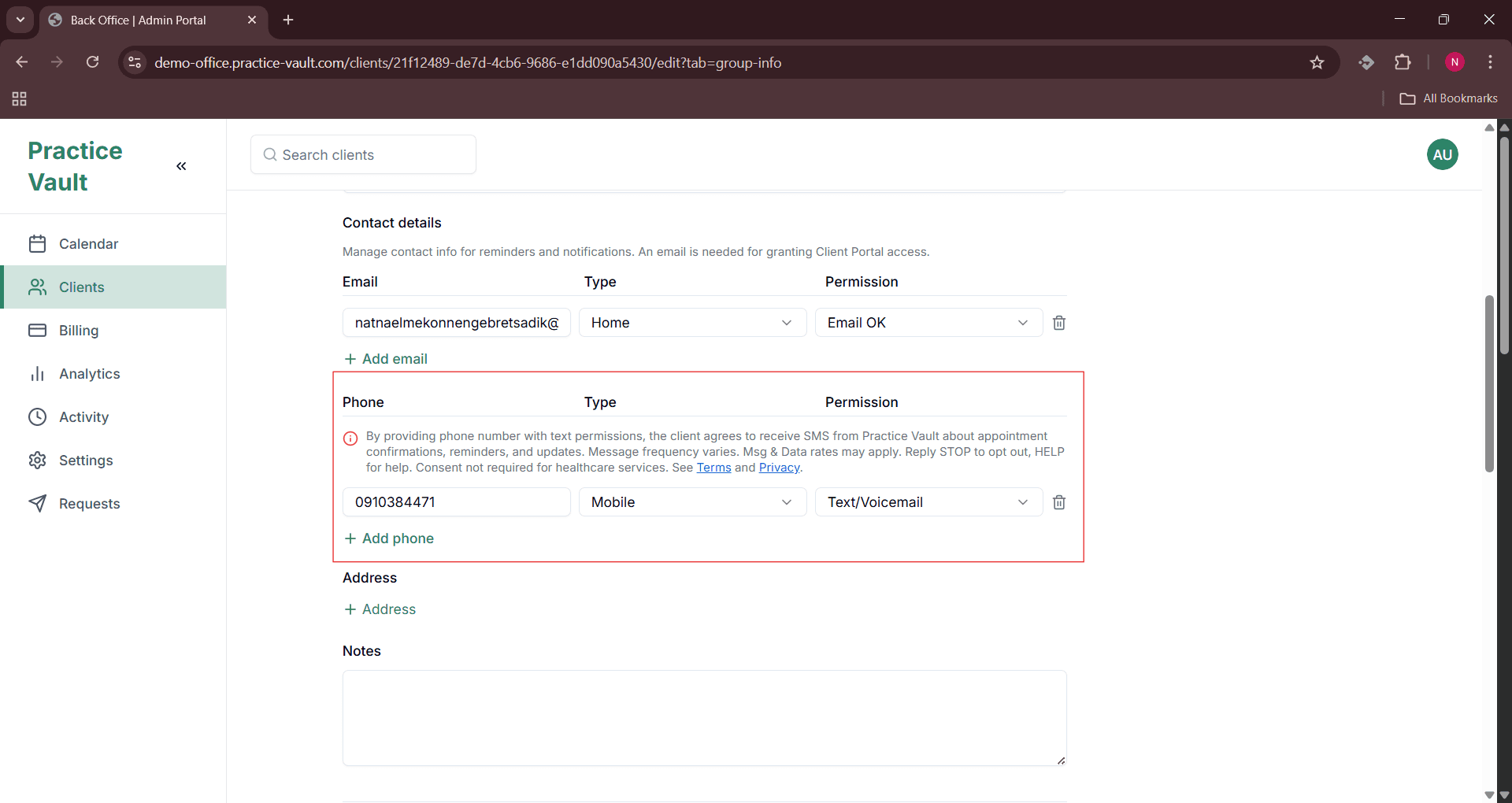
Shows the edit client interface when SMS consent is active
Notification Preferences
Editing Notification Preferences
Edit Client - Notification Preferences
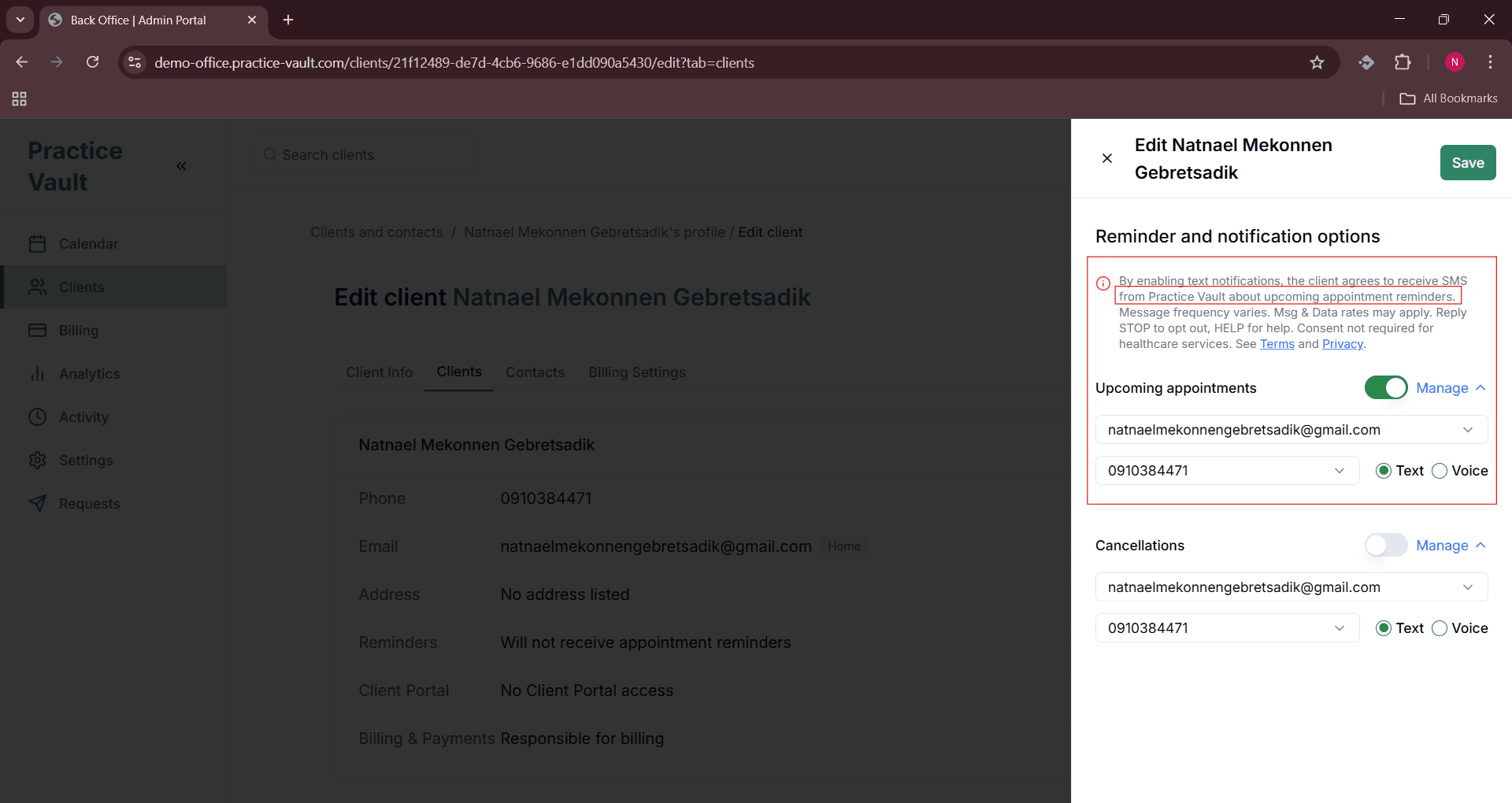
Interface for modifying client notification preferences
Dynamic Notification Preferences Rendering
Edit Client - Dynamic Notification Preferences Rendering
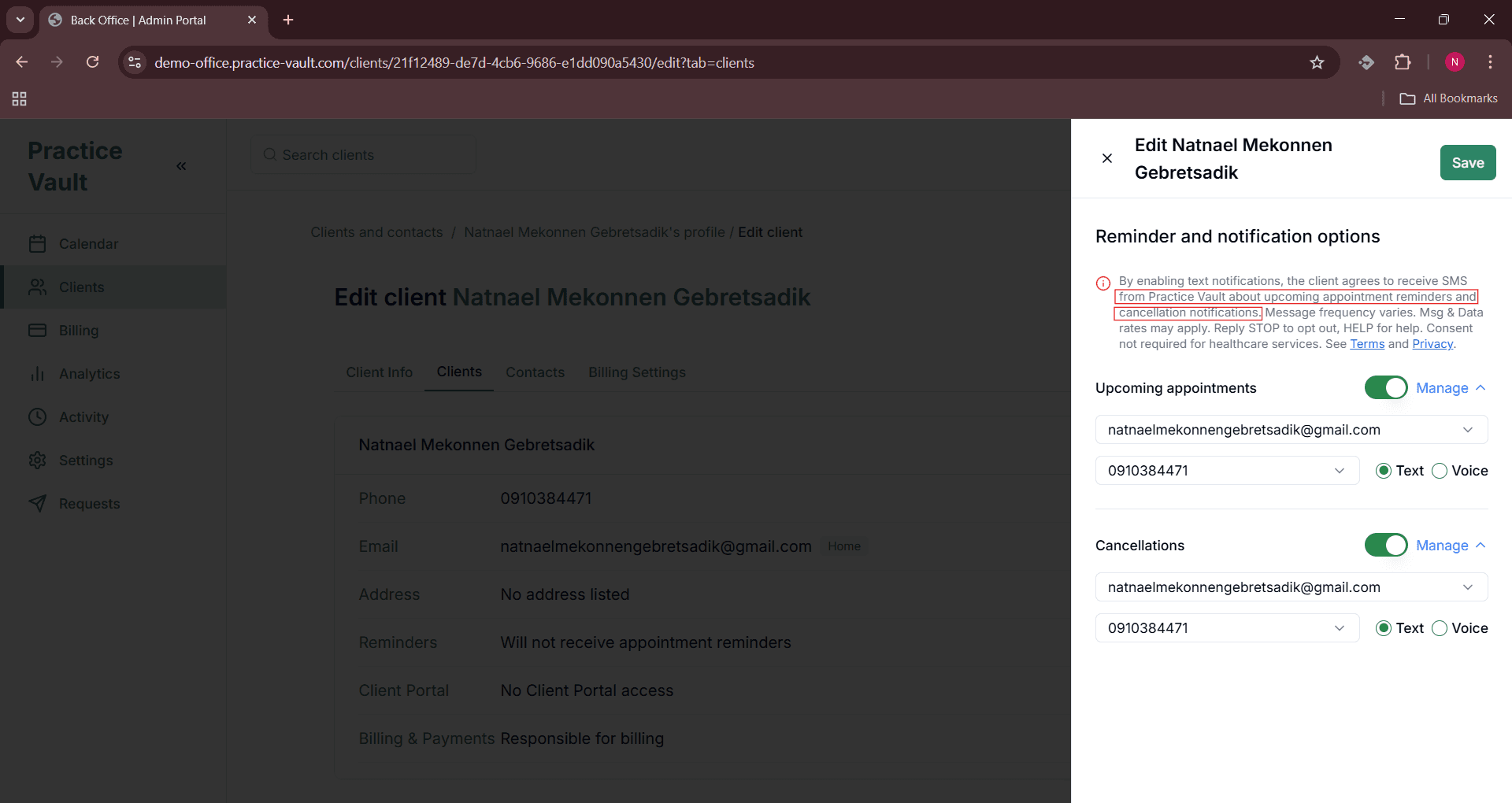
Dynamic rendering of notification preferences based on client settings and system configuration